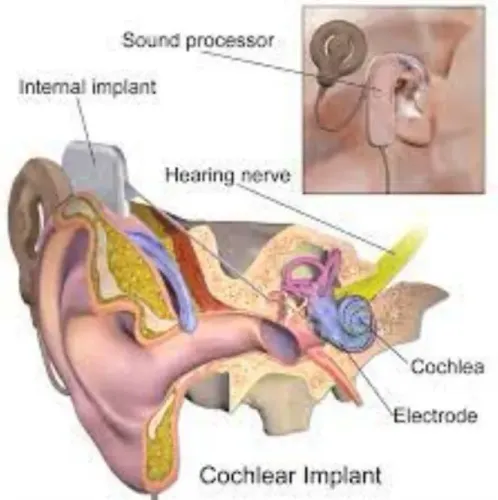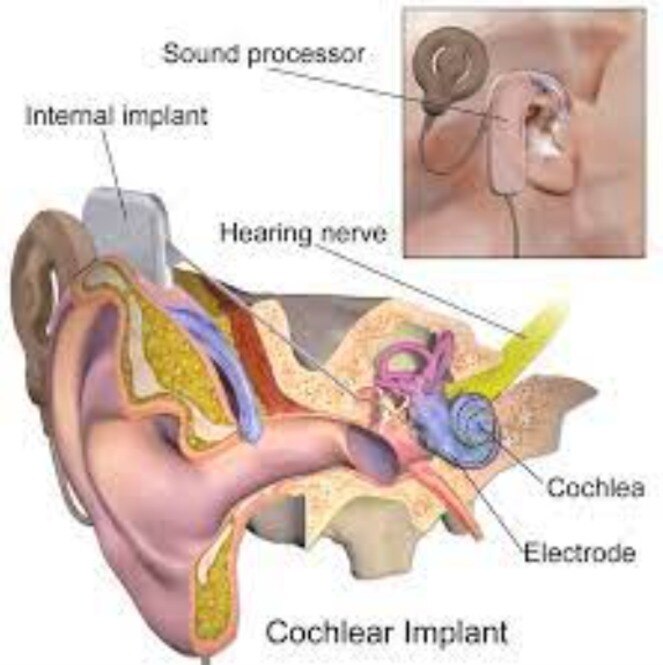
Start by separating a power, cable, coil or microphone problem from a mapping change, an ear condition or a deeper hearing issue. By the end, you will know which checks are safe at home, what details to record, when to contact the implant team and which warning signs need medical assessment.
Key takeaways
- Replace or recharge the battery before assuming implant failure.
- Check the coil, cable, microphone openings, and moisture protection.
- Record when sound changes and which external parts you tested.
- Request mapping, integrity testing, or medical care when checks fail.
Run These Safe Checks Before You Call the Implant Team
Start by testing the external sound path, not by assuming the internal implant has failed. Cochlear implant hearing problems can come from a depleted battery, loose coil, damaged cable, blocked microphone, moisture or a map change.
1. Switch the processor on and check its indicator or alert. Fit a fully charged rechargeable battery or a new approved battery, then try the processor again.
2. Remove and reconnect the coil. Examine the coil and cable for cracks, kinks, loose connectors or bite marks. Replace a damaged part only with a compatible component.
3. Inspect the microphone openings for wax, dust or moisture. Follow the manufacturer’s cleaning and drying instructions; do not push objects into the openings.
4. Test a known-good compatible battery, cable, coil or backup processor if you have one. Change one component at a time so you can identify the likely fault.
5. Stop if the sound becomes painful, suddenly weaker, muffled or distorted. Arrange an ear examination instead of using ear drops, syringing or suction, because wax, infection, middle-ear fluid or a perforated eardrum can reduce hearing.
Record the processor model, implant side, start date, affected programme, battery behaviour, recent drops or water exposure and any map change. Note whether speech is difficult only in noise, on the telephone or in groups, or everywhere. This information makes cochlear implant hearing troubleshooting faster.
Do not open or repair the processor yourself; contact the implant team when these checks do not restore sound.
Match the Sound Problem to Its Most Likely Source
The search phrase “cochlear implant hearing problems for continue” describes a persistent symptom, not a diagnosis. Match the sound pattern to the source before assuming the internal implant has failed.
| Source | Pattern that points to it | Clue that separates it |
|---|---|---|
| External equipment | No sound, intermittent sound, crackling, or distortion | The problem changes after charging the battery, reseating the coil, replacing the cable, or trying another processor |
| Mapping | Sound is present but painfully loud, unusually soft, tinny, or unclear after a programming change | One programme sounds wrong while another works, or aided thresholds and speech testing show a programming mismatch |
| Ear or middle ear | Muffled or suddenly reduced hearing, blocked sensation, pain, drainage, or new feedback | An examination finds wax, otitis externa, middle-ear fluid, infection, eustachian-tube dysfunction, or a perforated eardrum |
| Auditory processing | The processor delivers sound, but speech remains difficult to understand, especially in noise | Equipment checks, mapping measures, and the ear examination are satisfactory, pointing toward listening practice, language processing, or a medical change |
A louder map is not automatically a better map. Audiologists compare your report with aided thresholds, speech scores, electrode impedance and processor datalogging before changing levels.
If sound has abruptly deteriorated despite working equipment and a clear ear examination, ask the implant centre whether integrity testing is appropriate. A normal result does not exclude every cause of poorer speech understanding, so auditory rehabilitation and medical review may still matter.
Do not put drops in the ear or arrange syringing without clinical advice.
Record the Pattern and Know What Not to Repair Yourself
Before contacting the audiologist, record the problem while it is happening. Note the processor model, implant side, date and time it began, whether it affects one programme or every programme, battery or charger behaviour, recent drops or water exposure, and whether it followed a map change.
- Describe the sound: absent, intermittent, distorted, weak, painfully loud, or accompanied by feedback.
- Record which activities are difficult: quiet conversation, background noise, telephone calls, music, or group conversation.
- Write down whether a backup processor, cable, coil, battery, or other known-good compatible component changes the result.
- Bring your implant identification card and list recent ear symptoms, including pain, discharge, blocked hearing, dizziness, or infection.
This record makes cochlear implant hearing troubleshooting more useful because the team can separate an external-device fault from mapping, ear, or speech-processing difficulties. Do not treat a single good aided score as proof that every listening situation is working.
| Action | Why it can cause harm | Safer choice |
|---|---|---|
| Opening the processor | You can damage sealed electronics and lose warranty support | Ask the implant service about repair |
| Forcing a cable, coil, or connector | Bent contacts can create intermittent sound or permanent failure | Reconnect gently according to device instructions |
| Using an unapproved battery or accessory | Incorrect power or compatibility can damage equipment | Use the manufacturer-approved component |
| Changing the map yourself | An unsuitable map can produce painful loudness or poorer input | Ask the audiologist to remap it |
| Arranging MRI without checking | Scanner strength and magnet design determine safety | Show the implant card and contact the implant centre first |
Know When You Need Mapping, Integrity Testing or Medical Care
A processor that will not power on, cuts out, or produces distorted sound belongs with the audiologist or cochlear implant service team. Do not assume cochlear implant hearing problems mean internal-device failure; the cause may be a battery, cable, coil, microphone, map, ear condition, or auditory-processing difficulty.
| Problem | Professional | How urgently to act |
|---|---|---|
| Processor fault | Cochlear implant audiologist or device service team | Contact promptly; use a backup processor if available |
| Mapping issue | Implant audiologist | Arrange review soon, especially after a map change or sudden sound intolerance |
| Speech understanding or listening difficulty | Auditory rehabilitation specialist, such as an auditory-verbal therapist or speech-language pathologist | Book structured rehabilitation when equipment and hearing levels are satisfactory |
| Possible ear or medical complication | ENT specialist or otologist | Seek same-day assessment for pain, drainage, fever, swelling, severe vertigo, or a sudden hearing drop |
| Possible internal-device malfunction | Implant centre for integrity testing | Request urgent assessment after external checks and an ear examination are normal |
A sudden loss of sound, abrupt decline in speech understanding, new severe dizziness, facial weakness, or significant pain needs urgent medical contact rather than a routine programming appointment.
The implant centre can coordinate integrity testing, which is different from mapping and checks the internal device; a normal result does not exclude every cause of poorer speech understanding.
Ask who handles urgent problems between visits. Effective cochlear implant follow-up should connect audiology, ENT examination, device troubleshooting, integrity assessment, and rehabilitation instead of offering processor adjustment alone.
Choose Follow-Up That Covers More Than Processor Adjustment
Do not accept a follow-up visit that ends with a new map and no explanation. When arranging cochlear implant follow up in Pune, choose a service that can assess the ear, test hearing in real situations, troubleshoot the external equipment, and coordinate implant-integrity testing or specialist review when needed.
| Service | What it checks | What to ask for |
|---|---|---|
| Processor support | Battery, cable, coil, microphone and compatible replacement parts | A documented equipment check, not an unapproved repair |
| Audiology and mapping | Aided thresholds, speech recognition and programme settings | Testing in quiet and in the situations you find difficult, such as telephone use, music, group conversation or background noise |
| ENT examination | Ear canal, eardrum, middle-ear disease and other medical causes | Examination when sound becomes painful, distorted, suddenly weaker or difficult to understand |
| Implant-team review | Internal device performance and integrity when external causes are excluded | A clear referral pathway and instructions about urgency |
| Auditory rehabilitation | Listening practice, speech strategies and communication training | A plan based on your daily communication goals |
Ask who handles urgent problems between appointments. Dr. Ajay Kothadiya’s ENT Clinic - ENT Specialist, ENT Surgeon & Endoscopic Surgeon in Pune can be relevant for examining ear-related causes and coordinating the next specialist step, rather than treating every problem as a processor fault.
Choose follow-up that records speech performance across more than one task and reviews progress after programming changes. Consistent processor use and structured listening practice matter because the brain must interpret an electrically coded signal.
Related service
Cochlear Implant Hearing Problems Cochlear Implant Hearing Problems ₹600 Cochlear implants can improve hearing in people with severe hearing loss who are no longer helped by using hearing aids. View service → |
Frequently asked questions
What should I check first when cochlear implant hearing problems continue?
Test the external sound path: charge or replace the battery, reseat the coil, inspect the cable, clear microphone openings, and check for moisture. Do not assume the internal implant has failed.
How can I match a sound problem to its likely source?
Intermittent sound points to a loose coil, damaged cable, weak battery, or moisture. Muffled sound points to blocked microphones or an acoustic component. A sudden complete loss needs prompt implant-team assessment.
What should I record before contacting the implant team?
Record when the problem started, whether it affects one program or every program, battery and accessory changes, moisture exposure, and whether another processor or cable restores sound.
When do cochlear implant hearing problems require mapping or integrity testing?
Request mapping when sound changed after programming or feels too soft, loud, or distorted. Ask about integrity testing when external checks fail or sound remains absent across tested equipment.
When should I seek medical care rather than only processor adjustment?
Seek medical assessment for new pain, swelling, redness, discharge, dizziness, facial weakness, severe headache, or sudden hearing change. Follow-up should assess both the device and the ear, surgical site, and other medical causes.